Motion Graphics vs Explainer Videos: What Is the Difference?
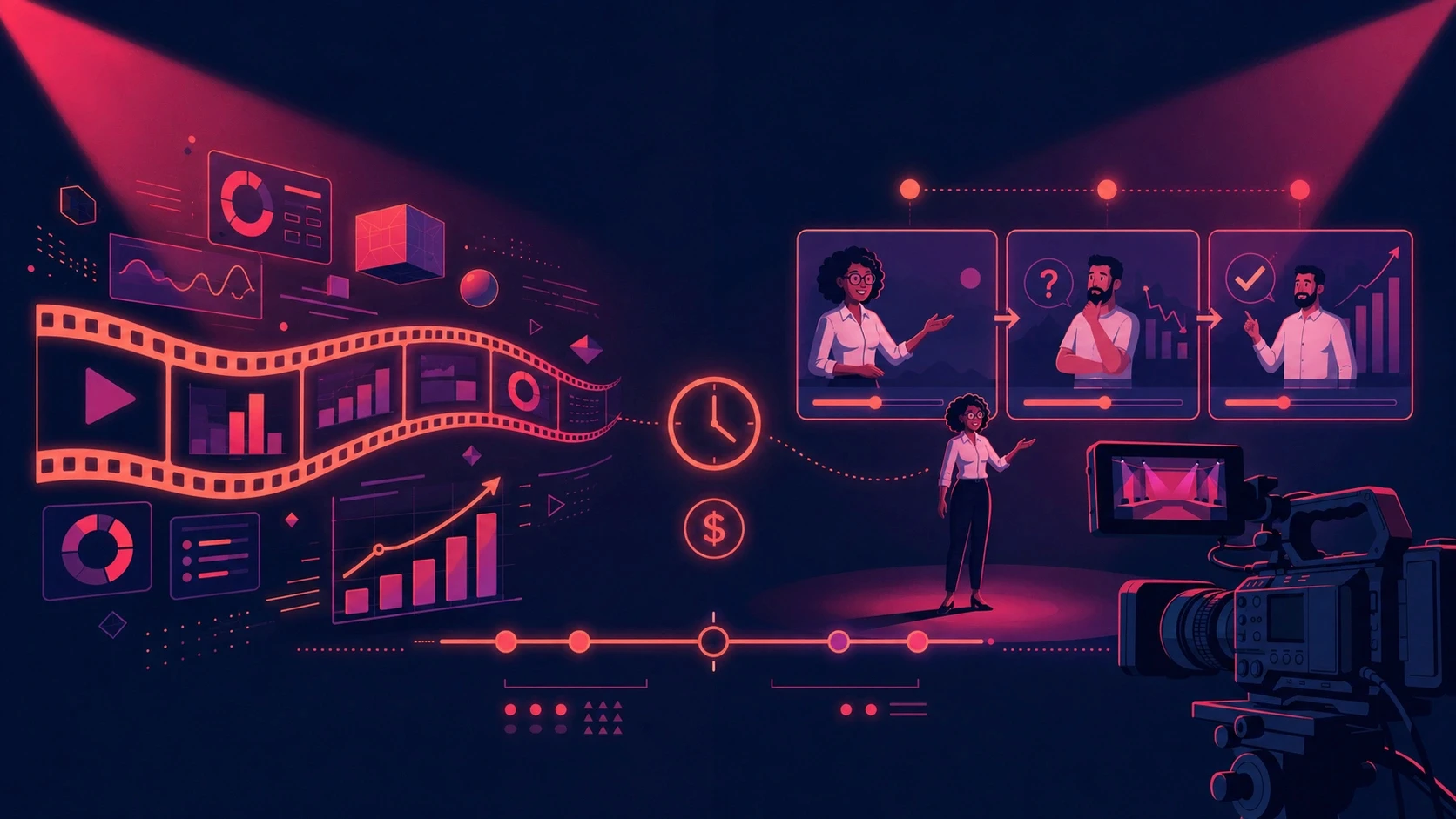
Motion graphics vs explainer video explained: cost, length, story arc, and use cases compared, plus how to produce both formats without brand drift.
Motion Graphics vs Explainer Video: What's the Real Difference?
Motion graphics and explainer videos are often used interchangeably, but they describe two different things.
Motion graphics is a visual style. An explainer video is a communication format.
Motion graphics uses animated text, icons, charts, UI elements, shapes, illustrations and product visuals to communicate information. An explainer video is designed to help an audience understand a product, service, process or idea and usually guide them toward a specific next step.
That means an explainer video can actually use motion graphics as its visual style.
This distinction matters when planning a marketing video because choosing the wrong production approach can increase the budget, extend the timeline and create more revision work without improving what the viewer needs to understand.
A 20-second product feature announcement does not necessarily need a character-led story.
A complex SaaS product may need more than animated statistics.
The right decision starts with the communication objective, not the animation style.
Motion Graphics vs Explainer Video at a Glance
Factor | Motion Graphics | Explainer Video |
|---|---|---|
What it describes | A visual production style | A communication purpose |
Main elements | Text, icons, charts, UI, shapes, graphics | Can use motion graphics, 2D, 3D, characters, UI, live action or hybrid |
Main objective | Communicate information visually | Make a product, service or idea easier to understand |
Storytelling | Optional | Often structured around a clear viewer journey |
Voiceover | Optional | Often useful, but not required |
Typical use | Ads, data, features, social content | Product education, landing pages, launches, sales and onboarding |
Typical length | Often short, depending on the message | 60–90 seconds is common, but the brief determines the length |
Production complexity | Depends on design and animation | Depends on the chosen visual style and narrative complexity |
Can they overlap? | Yes | Yes |
The important point is simple:
You do not always have to choose between motion graphics and an explainer video.
A motion graphics video can be an explainer.
A character animation can be an explainer.
A screen-recording video can be an explainer.
A live-action video can be an explainer.
What makes something an explainer is the job it performs: helping the viewer understand the idea and know what to do next. Current explainer production guidance also distinguishes the purpose of an explainer from the specific visual style used to create it. Explainer Video Guide
What Is Motion Graphics?

Motion graphics is the animation of graphic design elements such as typography, shapes, icons, charts, illustrations, interfaces and product visuals.
Instead of building a story around a character, motion graphics can make the information itself the visual focus.
For example, a SaaS company launching a new analytics feature could create a 20-second video showing:
The existing problem
The new dashboard
Three product benefits
Animated statistics
A product interface
A final CTA
There may be no character at all.
The visuals simply guide the viewer through the information.
Motion graphics is particularly useful when the main challenge is making information easier to understand quickly.
Motion graphics is commonly used for software demonstrations, data visualisation, processes and abstract concepts because these subjects can be difficult to communicate through traditional filming. Motion Graphics and Explainer Videos Guide
Common Motion Graphics Use Cases
Product feature announcements
SaaS UI demonstrations
Data visualisation
Statistics
Paid social ads
Product launch assets
App onboarding
Internal communications
Presentation videos
Infographic videos
Brand announcements
Short-form campaign content
What Is an Explainer Video?

An explainer video is a focused video designed to make a product, service, process or idea easy for a viewer to understand.
The format is usually built around:
One audience + one message + one desired action
A 60–90 second runtime is common, but there is no requirement that every explainer must be exactly that length. The complexity of the subject, distribution channel and viewer intent should determine the final duration. Explainer Video Guide
An explainer can use:
Motion graphics
2D animation
Character animation
3D animation
Screen recordings
Product demonstrations
Live action
AI-generated scenes
Mixed media
For example, a fintech company may need to answer:
How does our platform help finance teams automate monthly reporting?
That requires more than listing features.
The viewer needs to understand:
Problem → Solution → How it works → Benefit → Next action
That is where an explainer structure becomes useful.
The Real Difference: Visual Style vs Communication Objective

This is where most production briefs become confusing.
Motion graphics answers:
How should the information be visually presented?
Explainer video answers:
What does the viewer need to understand?
Consider four different briefs.
Brief 1: Product Feature
"Show our new AI search feature in 20 seconds."
A short motion graphics video may be enough.
Brief 2: Complex Product
"Explain why our platform replaces three separate systems and how a marketing team uses it."
This needs an explainer structure.
Brief 3: Data Campaign
"Turn five annual performance statistics into a 30-second LinkedIn video."
Motion graphics is a natural fit.
Brief 4: New Product Category
"Our audience does not understand what this product is or why they need it."
This requires explanation first. Motion graphics may still be the visual style, but the underlying video should be structured as an explainer.
The production decision should therefore happen after the communication problem is clear.
Why the Distinction Matters for Video Budgets
Video production costs are not determined only by duration.
The actual scope can include:
Strategy
Scriptwriting
Storyboarding
Character design
Illustration
Scene design
Animation
3D modelling
Voiceover
Music
Sound design
Editing
Captions
Revisions
Multiple aspect ratios
Localised versions
Published 2026 pricing guides show significant variation because an "explainer video" can mean anything from simple motion graphics to custom character animation or 3D production. 2026 Explainer Video Cost Guide
Professional explainer projects can range from several thousand dollars to tens of thousands depending on the production method, customisation and scope. Explainer Video Cost Guide
That makes one principle particularly important:
Do not pay for production complexity that does not improve the communication.
If your audience only needs to see three product features, building a complex character story may add unnecessary work.
If your audience needs to understand an unfamiliar product category, a sequence of animated statistics may not provide enough context.
The Production Complexity Behind Each Format

A simple motion graphics project might follow:
Brief → Script → Design → Animation → Sound → Delivery
A more complex narrative explainer might require:
Brief → Concept → Script → Storyboard → Character Design → Environment Design → Voiceover → Scene Production → Animation → Sound Design → Editing → Revisions
The second workflow can create more creative possibilities, but it also introduces more production dependencies.
That means every additional creative decision can potentially create:
More review cycles
More assets to approve
More animation work
More opportunities for changes
Longer production schedules
This is why the simplest format capable of communicating the message is often the most practical starting point.
Motion Graphics Can Be an Explainer
One of the biggest misconceptions is treating these categories as mutually exclusive.
A SaaS company can create a 60-second explainer using only:
Animated UI
Product screens
Typography
Icons
Charts
Transitions
Voiceover
That video is simultaneously:
Motion graphics + explainer video
The distinction is useful because it lets the marketing team separate two decisions:
Communication decision
What does the audience need to understand?
Production decision
What visual language communicates it most efficiently?
This prevents teams from choosing a visual style before they understand the actual communication requirement.
When Motion Graphics Makes More Sense
Motion graphics is particularly useful when the message involves information that can be represented visually.
For example:
Product Features
Show the feature instead of describing it for 20 seconds.
Data
Turn statistics into animated charts and numbers.
Software
Animate the interface and show the workflow.
Processes
Use diagrams and sequential animation to show how something works.
Paid Social
Communicate one clear idea quickly.
Product Launches
Break one launch message into multiple short assets.
Internal Communications
Turn processes, announcements and data into short visual content.
The format is especially useful when the viewer does not need a character or emotional storyline to understand the message.
When an Explainer Structure Makes More Sense
An explainer approach becomes more useful when the viewer needs context.
Consider an unfamiliar B2B platform.
The audience may need to understand:
What problem exists?
Why is the current approach inefficient?
What does the product do?
How does it work?
What changes for the customer?
What should they do next?
A simple feature animation may not answer all six questions.
An explainer structure gives the information a logical progression.
That does not mean you need character animation.
You could build the entire explainer using motion graphics.
The Better Way to Plan Video Content
Instead of asking:
"Do we need motion graphics or an explainer?"
Ask these five questions.
1. What does the viewer need to understand?
Write the answer in one sentence.
If you cannot explain the objective clearly, the production team will struggle to turn it into a focused video.
2. What action should happen afterward?
The CTA might be:
Visit a product page
Book a demo
Start a free trial
Download a guide
Request a quote
Learn more
Complete onboarding
Contact sales
A video without a defined next step can become an expensive piece of content with no clear role in the customer journey.
3. How complicated is the message?
Simple message:
Feature → Benefit → CTA
Complex message:
Problem → Context → Solution → Demonstration → Benefits → CTA
The structure should reflect the amount of explanation required.
4. Where will the video appear?
A landing-page explainer and a six-second paid-social asset should not necessarily be produced the same way.
Consider the destination:
Website
Landing page
Instagram
TikTok
LinkedIn
YouTube
Sales presentation
Email
Product onboarding
Paid advertising
The same campaign can require several versions.
5. How many assets can come from the production?
This question should be asked before production begins.
A single master video might become:
60-second website video
30-second campaign version
15-second social cut
6-second hook
Vertical version
Square version
Product-feature clip
Sales presentation segment
That makes the original production more useful because one creative system supports multiple distribution requirements.
Build the Video Around Reuse
One of the biggest opportunities in modern content production is designing the first video so that future content does not need to start from zero.
Imagine a brand launches a new product.
Instead of producing only one 60-second video, the team plans the production around a content system:
Master Explainer
60 seconds
↓
Paid Social
30 seconds
↓
Feature Ads
15 seconds
↓
Short Hooks
6 seconds
↓
Product Page
60–90 seconds
↓
Sales Enablement
Feature-specific clips
↓
Social Variations
Multiple aspect ratios
The creative investment becomes more useful because the same underlying assets can support multiple channels.
Why Brand Consistency Becomes More Important
Producing more video variations creates another problem:
Brand drift.
If every video is produced separately, small differences can appear in:
Product appearance
Colors
Typography
Character design
Environments
Logo placement
Visual style
Voice
Messaging
One video may look polished on its own.
But place five videos from five different production workflows next to each other and the campaign can feel disconnected.
That is why a shared brand reference system becomes increasingly important as content volume grows.
How ALStudio Handles This
While building ALStudio's Film Studio, we approached video production as a connected workflow rather than a collection of isolated generations.
ALStudio Film Studio can move through:
Story Idea → Script → Storyboard → Scene Generation → Voiceover → Final Film
The same production system can support different creative directions depending on the brief.
ALStudio's Constants Studio stores shared references such as:
Brand DNA
Product DNA
Character DNA
Environment DNA
Visual Style
Logo
Color Palette
Scene Consistency and Product Consistency
For campaigns involving multiple scenes, consistency becomes particularly important.
Character Consistency
Useful when the same person or character appears throughout a video.
Product Consistency
Useful when a product needs to maintain its appearance across multiple scenes and assets.
Scene Consistency
Useful when the same environment needs to remain recognisable.
Brand Consistency
Useful for maintaining visual elements such as colors, logos, fonts and overall style.
The purpose is not simply visual polish.
It reduces the need to repeatedly rebuild the same creative references for every new piece of content.
A Practical Example: One Product, Two Videos

Imagine an ecommerce brand launching a skincare product.
The marketing team needs two assets.
Video 1: 20-Second Paid Social Ad
Objective:
Get attention and communicate three product benefits quickly.
The video could use:
Product imagery
Animated typography
Benefit callouts
Product close-ups
Brand colors
CTA
There is no need for a complicated narrative.
Video 2: 60-Second Product Explainer
Objective:
Help a new visitor understand the product before purchasing.
The video could explain:
The customer's problem
The product solution
How it works
Key ingredients or features
Product benefits
The next step
The second video requires more explanation.
But both should still use the same:
Product appearance
Brand colors
Typography
Visual direction
Messaging
A shared creative system makes that easier to maintain.
Traditional Production vs Connected AI Production

Traditional production can be extremely effective, but every new variation may require additional coordination.
A typical workflow might involve:
Brief → Agency → Script → Approval → Storyboard → Approval → Production → Revision → Final
If the campaign then needs:
Arabic
English
Vertical
Square
15 seconds
30 seconds
60 seconds
the team may need additional rounds of work.
A connected AI workflow can reduce some of those handoffs by keeping production stages together.
For example, Canva's AI video tools can generate short AI video content directly within Canva's broader design workflow.
The important difference is not simply "AI versus traditional."
It is:
Is your production workflow designed for one finished video, or for a growing library of content?
Why One-Off Production Becomes Difficult at Scale
One video is manageable.
Ten videos become a system problem.
Twenty videos become a workflow problem.
A team producing content regularly needs repeatable processes for:
Briefing
Scripting
Visual development
Brand references
Scene production
Voiceover
Editing
Versioning
Localisation
Distribution
Without those systems, every new video becomes another mini production project.
With a shared system, the team can reuse what has already been established.
How to Choose the Right Format
Use this decision framework.
Choose a motion graphics approach when:
The message is straightforward.
Data is central to the story.
Product features are the main focus.
UI needs to be demonstrated.
The video is short.
You need multiple social variations.
You need to communicate information quickly.
Choose an explainer structure when:
The product is unfamiliar.
The audience needs context.
The problem requires explanation.
The viewer needs to understand a process.
The video supports a landing page.
Sales teams need a reusable explanation.
The customer journey matters.
Combine both when:
The campaign needs short ads and longer educational content.
The same product needs acquisition and conversion content.
Social content needs to support a website explainer.
Sales needs detailed product education.
Multiple versions must share the same brand identity.
Common Mistakes That Increase Production Costs
1. Asking for "an explainer" without defining the objective
"Explainer video" can mean motion graphics, character animation, 3D, UI animation or live action.
Define the job first.
2. Starting with animation instead of the message
A beautiful visual cannot compensate for an unclear message.
Start with:
Audience → Problem → Message → Action
Then choose the visual style.
3. Adding characters when they are not needed
Characters can make a story more relatable, but they also add design and animation requirements.
If the product itself is the subject, product-led motion graphics may communicate it more directly.
4. Writing an unnecessarily long script
A longer video is not automatically a better video.
Remove information that does not help the viewer understand the core message.
5. Producing only one version
If the video will be used across multiple channels, plan the variations before production starts.
6. Rebuilding the brand for every project
Keep brand references, product references and visual direction available for future content.
7. Measuring only views
A video can receive views without contributing meaningfully to the business objective.
Depending on the purpose, consider tracking:
Watch time
Completion rate
Click-through rate
Landing-page engagement
Leads
Sales
Demo requests
Trial starts
Onboarding completion
The right metric depends on what the video is supposed to accomplish.
steps for More Efficient Video Production
Start with the customer problem
Do not start with animation.
Start with what the audience needs to understand.
Keep one core message
One focused video is easier to watch, edit, localise and reuse.
Design for multiple outputs
Plan horizontal, vertical, short-form and platform-specific versions before production.
Keep brand references centralised
Store the product, visual identity and creative direction in one shared system.
Create reusable scenes
Design scenes that can potentially become standalone clips.
Build localisation into the workflow
If the campaign may need Arabic, English or other language versions, account for that before finalising the creative.
Measure the business objective
Connect the video to the action it is designed to influence.
Update instead of rebuilding
For product-led brands, design the production workflow so that a feature update does not require rebuilding the entire campaign from scratch.
Who Needs Motion Graphics?
Marketing Teams
Useful for turning product features, statistics and campaign messages into short-form assets.
SaaS Companies
Useful for explaining software interfaces, workflows and abstract concepts.
Ecommerce Brands
Useful for product features, benefits, promotions and social advertising.
Agencies
Useful when producing multiple formats for multiple clients while maintaining each client's visual identity.
Product Teams
Useful for communicating product updates and new features.
Sales Teams
Useful for creating short videos that explain specific product benefits during the sales process.
Who Needs Explainer Videos?
Explainer videos are useful when the audience needs more context before they understand the value of a product or service.
Common applications include:
SaaS
Fintech
Healthcare
Technology
Professional services
B2B platforms
Product launches
Customer onboarding
Sales enablement
Landing pages
The deciding factor is not whether the business is B2B or B2C.
The deciding factor is how much explanation the audience needs.
The Bottom Line
Motion graphics and explainer videos should not be treated as competing categories.
Motion graphics is a visual style. Explainer video is a communication purpose.
A motion graphics video can be an explainer.
A character animation can be an explainer.
A product demonstration can be an explainer.
The right choice depends on the message, audience, distribution channel and production requirements.
For businesses producing content regularly, the bigger opportunity is building a workflow that can support different formats without rebuilding the brand system every time.
ALStudio Film Studio connects story development, scripting, storyboarding, scene generation, voiceover and final film production, while Constants Studio keeps Brand DNA, Product DNA, Character DNA, Environment DNA and Visual Style available across the workflow.
That lets teams move from one campaign brief to multiple video formats while keeping the creative foundation consistent.
Start free on ALStudio — no watermark on any plan, no credit card required.
FAQ
1. Is a motion graphics video the same as an explainer video?
No. Motion graphics describes a visual style based on animated design elements such as typography, icons, shapes, charts and UI. An explainer describes the purpose of the video: helping an audience understand a product, service, process or idea. An explainer can use motion graphics as its visual style. Explainer Video Guide
2. Can a motion graphics video be an explainer?
Yes. A video using animated typography, UI, charts and product visuals can still be an explainer if its purpose is to make a product or idea easier to understand. Motion graphics and explainer videos are therefore not mutually exclusive.
3. Which is cheaper: motion graphics or an explainer video?
There is no universal price because "explainer video" can refer to several production styles. Cost depends on animation complexity, script length, number of scenes, characters, 3D, voiceover, revisions and deliverables. Published 2026 pricing guides show professional explainer projects ranging from several thousand dollars to tens of thousands depending on scope. 2026 Explainer Video Cost Guide
4. How long should an explainer video be?
There is no fixed duration. 60–90 seconds is a common starting range, but the appropriate length depends on the complexity of the message and where the video will be used. Explainer Video Guide
5. How long does a motion graphics video take to produce?
The timeline depends on script complexity, design requirements, number of scenes, animation detail and revision rounds. Simple motion graphics can move relatively quickly, while custom design and complex animation require more production time. Motion Graphics and Explainer Videos Guide
6. Can one video become multiple marketing assets?
Yes. A master video can be adapted into shorter social videos, paid advertising cuts, vertical versions, product-page content and sales assets. Planning these variations before production can reduce the need to recreate creative work later.
7. How do I keep motion graphics and explainer videos consistent?
Use a shared reference system for brand colors, typography, product visuals, characters, environments, logos and visual direction. ALStudio's Constants Studio is designed to keep these references available across the creative workflow.
8. Can ALStudio create both motion graphics and explainer videos?
Yes. ALStudio Film Studio supports a connected workflow from Story Idea and Script through Storyboard, Scene Generation, Voiceover and Final Film. Teams can use shared brand and product references when developing different video formats.
9. Does ALStudio have a free plan?
Yes. The ALStudio free plan includes 5 images, 1 video and limited voice and text generation. There is no watermark on any plan, including the free plan, and no credit card is required to start. Start free on ALStudio.
Conclusion
At Animus Agency, creativity goes beyond creating visually striking work. It is about combining strategy, storytelling, and technology to build experiences that connect with audiences and give brands a distinctive voice. From cinematic content and motion design to CGI and creative campaigns, Animus turns ideas into engaging visual stories designed to make an impact.
To explore more of Animus Agency’s work and creative approach, visit Animus Agency