How to Write a Video Production Brief: Free Structure and Checklist

Use this video production brief template to define goals, audience, creative direction, deliverables, budget and approvals before production starts.
Video Production Brief Template: Free Structure, Checklist and Examples
A video production brief template gives everyone involved in a video project one clear source of truth for the objective, audience, message, creative direction, production requirements, deliverables, timeline, budget, and approvals.
A good brief helps teams make important decisions before scripting, storyboarding, filming, AI generation, editing, and distribution begin. It reduces misunderstandings, clarifies responsibilities, and gives creative teams the information they need to produce the right video.
For AI-assisted production, there is one additional consideration: the brief should define not only what needs to be created, but also which characters, products, environments, and brand elements must remain consistent throughout the project.
In this guide, you will find:
What a video production brief is and why it matters.
The essential sections every brief should include.
A free video production brief template you can copy.
A practical checklist for agencies and marketing teams.
Common mistakes that delay production.
How to adapt a traditional brief for AI video production.
How to turn a brief into a repeatable production workflow.
What Is a Video Production Brief Template?

A video production brief template is a reusable framework for documenting the strategic, creative, technical, and delivery requirements of a video project before production begins.
It turns a business or creative idea into clear instructions that a production team can use to plan and execute the work.
A useful video production brief answers questions such as:
Why are we creating this video?
Who is the intended audience?
What should viewers understand or remember?
What action should they take afterward?
What should the video look and sound like?
Which elements must remain consistent?
Where will the video be published?
What versions and formats are required?
What is the budget?
When is the final delivery due?
Who reviews and approves the work?
A brief does not need to be long to be effective. It needs to make the right decisions clear.
Why Is a Video Production Brief Important?

Video production involves several connected stages. A decision made during strategy can affect the script, visual direction, production method, editing, and final deliverables.
For example:
The audience influences the tone, language, and storytelling.
The objective determines what the video needs to communicate.
The distribution channel affects duration, framing, captions, and aspect ratio.
The budget influences locations, talent, animation, VFX, and production complexity.
The approval process affects the schedule and number of revision rounds.
When these decisions are unclear, the production team has to make assumptions. Those assumptions can lead to unnecessary revisions, scope changes, and delays.
A production brief helps resolve important questions before they become expensive problems.
A brief should guide the entire project
A video production brief should not disappear after the kickoff meeting. It should remain useful during:
Strategy and concept development.
Scriptwriting.
Storyboarding.
Visual development.
Filming or AI generation.
Editing and post-production.
Localization and adaptation.
Review and approval.
Final delivery and distribution.
The purpose of the document is not to create more paperwork. It is to keep the project aligned from the first idea to the final asset.
What Should a Video Production Brief Include?
A complete video production brief should cover the following areas:
Brief section | What it covers | Why it matters |
|---|---|---|
Project overview | Background, context, and video type | Establishes what is being created |
Objective | Primary business or communication goal | Defines what success should mean |
Audience | Target viewer, needs, objections, and market | Guides creative decisions |
Core message | Main idea and supporting points | Keeps the story focused |
Desired action | What viewers should do next | Connects the video to the objective |
Creative direction | Tone, style, pacing, references, and sound | Defines the creative approach |
Creative constants | Brand, characters, products, and environments | Protects identity and continuity |
Production requirements | Script, storyboard, locations, talent, and method | Defines how the video will be made |
Deliverables | Durations, formats, cutdowns, captions, and languages | Establishes the required outputs |
Distribution | Platforms, placements, and audiences | Influences framing and editing |
Budget and scope | Available resources and revision boundaries | Keeps the concept achievable |
Timeline | Milestones and final deadline | Makes the schedule manageable |
Approvals | Reviewers, decision-makers, and sign-off stages | Reduces conflicting feedback |
Success criteria | Metrics or outcomes | Helps evaluate the final result |
These sections should work together rather than function as unrelated form fields. A website brand film and a short-form social advertisement may communicate the same message, but they often require different creative and production decisions.
How to Write a Video Production Brief

The most effective way to complete a video production brief is to start with the strategic decisions and work toward execution.
A useful order is:
Objective → Audience → Message → Creative Direction → Creative Constants → Production → Deliverables → Distribution → Approvals
Here is how to complete each section.
1. Project Overview
Start with a short description of the assignment. Two or three sentences are usually enough.
Include:
Project name.
Brand or company.
Campaign or business context.
Type of video.
Reason for creating the video.
Main project contact.
Example:
Create a 60-second product introduction video for a new skincare product. The video will explain the product's main benefit, introduce its visual identity, and support the launch campaign across the brand's website and social media channels.
A new team member should be able to read this section and understand the assignment immediately.
2. Primary Objective
Define the single most important outcome.
Common objectives include:
Brand awareness.
Product education.
Lead generation.
Sales.
Product launch.
Customer education.
Engagement.
Retention.
Event promotion.
Internal communication.
Avoid writing an objective such as "increase awareness, generate leads, explain every feature, drive sales, and tell the entire brand story" without identifying a priority.
A video can have secondary goals, but the primary objective should guide the creative decisions.
Example:
Primary objective: Introduce the new product and encourage potential customers to visit the product page.
3. Target Audience
Describe the people whose response matters most.
Include details that can influence production:
Audience segment.
Market or region.
Existing awareness of the brand.
Problem or need.
Purchase stage.
Common objections.
Preferred language or dialect.
Relevant cultural considerations.
Desired response.
Avoid adding persona details that have no impact on the video.
Example:
Audience: Adults in the Egyptian market who are interested in skincare and are comparing products for their daily routine. The video should use clear Egyptian Arabic, explain the product benefit simply, and avoid overly technical language.
The more actionable the audience description is, the easier it becomes to make decisions about tone, language, visuals, and pacing.
4. Core Message
Write the one idea viewers should remember after watching.
Ask:
If someone watches this video once and remembers only one thing tomorrow, what should it be?
A useful core message is specific and connected to the objective.
Weak message:
Our product is innovative, effective, high quality, and suitable for everyone.
Clearer message:
This product provides a simple addition to a daily skincare routine for people looking for a lightweight moisturizing solution.
Supporting points can explain the main message, but they should not compete with it.
5. Desired Viewer Action
Define what viewers should do after watching.
Examples include:
Visit a product page.
Request a demo.
Make a purchase.
Download a resource.
Follow the brand.
Watch another video.
Contact the sales team.
Remember a positioning message.
Register for an event.
The call to action should support the primary objective.
Example:
Desired action: Visit the product page and learn more about the product.
If the video is educational or brand-focused, the desired action may simply be to understand or remember a message. Not every video needs a direct sales CTA.
6. Video Type and Format
Specify the intended production format.
Examples include:
Brand film.
Product demonstration.
Explainer video.
UGC-style advertisement.
CGI advertisement.
2D animation.
3D animation.
Testimonial.
Documentary.
Talking-head video.
Tutorial.
Short-form vertical video.
Product launch video.
The format affects the script, shot design, talent, duration, production method, and editing style.
Example:
Video type: 30-second vertical product advertisement with a presenter, product close-ups, branded motion graphics, and a clear end-frame CTA.
If the format is still undecided, state the objective and constraints first, then allow the production team to recommend a suitable approach.
7. Creative Direction
Explain how the video should look, sound, and feel.
Include:
Tone.
Visual style.
Pacing.
Camera language.
Lighting direction.
Animation style.
Music direction.
Voiceover direction.
Typography and graphic treatment.
Visual references.
Brand restrictions.
Things to avoid.
References are most useful when you explain what you want to take from each one.
For example:
Reference A: Use its soft lighting and product composition.
Reference B: Use its fast pacing and editing rhythm.
Reference C: Use its minimal motion-graphics treatment.
Reference D: Use its character proportions and animation style.
Do not simply write "make it look like this." Explain the qualities that matter while leaving room for an original creative solution.
8. Creative Constants
Creative constants are approved elements that should retain their identity throughout a production, even when scenes, actions, camera angles, or layouts change.
This is particularly important for AI-generated videos, where individual scenes may be created separately.
Define the elements that must remain stable:
Brand identity.
Logo.
Color palette.
Typography.
Character identity.
Product appearance.
Environment.
Visual style.
Voice characteristics.
Language or dialect requirements.
For example, if a campaign includes a recurring character, the character's face, proportions, hairstyle, wardrobe, and defining features should be documented. If a product appears in several scenes, its packaging, shape, colors, and important details should be approved before production.
A scene instruction describes what happens.
A creative constant describes what should not be reinvented.
This distinction helps teams separate creative variation from identity requirements.
9. Production Requirements
Define the practical requirements for making the video.
Depending on the production method, this may include:
Script requirements.
Storyboard requirements.
Number of scenes.
Locations.
Talent or presenters.
Props and products.
Camera requirements.
Animation requirements.
CGI or VFX requirements.
Voiceover.
Music and sound design.
AI generation method.
Editing requirements.
Required source files.
Usage rights.
Accessibility requirements.
For live-action production, specify whether the team needs a studio, location, actors, filming equipment, or permits.
For AI production, specify the workflow, reference assets, approved creative constants, generation requirements, and review stages.
Free Video Production Brief Template

Copy the following structure into a document, client intake form, campaign workspace, or production management system.
Project Overview
Project name:
Brand or company:
Main point of contact:
Campaign or business context:
What are we creating?
Why are we creating this video now?
Objective
Primary objective:
Secondary objective, if applicable:
How will success be measured?
Desired viewer action:
Target Audience
Primary audience:
Market or region:
Audience problem or need:
Existing awareness of the brand:
Purchase or decision stage:
Main objections:
Language or dialect:
What should viewers understand or feel?
Core Message
Main message:
Supporting proof points:
Key information to include:
Claims or statements that require approval:
Words or messages to avoid:
Video Type
Format:
Preferred duration:
Production method:
Narrative approach:
Presenter, character, or talent requirements:
Creative Direction
Tone:
Visual style:
Pacing:
Camera direction:
Animation or CGI direction:
Music and sound direction:
Voiceover direction:
Visual references:
What should be taken from each reference?
Creative restrictions:
Creative Constants
Brand identity:
Logo and brand assets:
Color palette:
Typography:
Character identity:
Product identity:
Environment identity:
Visual style:
Voice and language requirements:
Which elements must remain consistent across scenes?
Production Requirements
Script requirements:
Storyboard requirements:
Number of scenes:
Locations or environments:
Talent or presenters:
Props and products:
Animation, CGI, or VFX:
Voiceover and music:
Editing requirements:
Source files required:
Usage rights or permissions:
Deliverables
Master video duration:
Cutdowns required:
Aspect ratios:
Resolution:
Vertical, horizontal, or square versions:
Captions or subtitles:
Separate subtitle files:
Language adaptations:
Voiceover versions:
Thumbnails or still images:
End frames or alternate CTAs:
Export formats:
Distribution
Website:
YouTube:
LinkedIn:
Instagram:
TikTok:
Paid social:
Digital advertising:
Sales presentations:
Events:
Internal communications:
Specific placements or audiences:
Budget and Scope
Approved budget or budget range:
Production method:
Number of scenes:
Number of deliverables:
Localization requirements:
Revision rounds included:
Out-of-scope requests:
Contingency or additional budget requirements:
Timeline
Brief approval date:
Concept approval:
Script approval:
Storyboard approval:
Character, product, or environment approval:
Production or generation dates:
Rough-cut review:
Revision period:
Final approval:
Delivery deadline:
Campaign launch date:
Stakeholders and Approvals
Project owner:
Account or campaign lead:
Creative reviewer:
Brand reviewer:
Product reviewer:
Legal or compliance reviewer:
Final approver:
Who consolidates feedback?
How many revision rounds are included?
Who can reopen an approved decision?
Restrictions and Success Criteria
Mandatory messages:
Brand restrictions:
Prohibited claims:
Legal requirements:
Platform limitations:
Accessibility requirements:
Success metrics:
Final acceptance criteria:
Video Production Brief Checklist
Use this checklist before approving a brief. The goal is to confirm that the project is ready for the next stage.
Strategy and messaging
The project has one primary objective.
The target audience is clearly defined.
The audience's problem or need is understood.
The core message can be expressed in one sentence.
The desired viewer action is clear.
Supporting messages are prioritized.
Success criteria are documented.
Creative direction
The video format is defined.
Tone and visual direction are documented.
References explain the qualities to reproduce.
Brand guidelines are available.
Music and voiceover requirements are specified.
Mandatory messages and restrictions are listed.
The team knows which creative decisions are approved.
Consistency and AI requirements
Recurring characters are defined.
Products that must remain consistent are documented.
Recurring environments are defined.
Brand identity requirements are documented.
Reference assets are approved.
Persistent creative constants are separated from scene instructions.
Character, product, and environment review stages are included where needed.
Production and delivery
The production method is defined.
Script and storyboard requirements are clear.
Locations, talent, products, and props are identified.
The budget or budget range is established.
All deliverables are listed.
Durations and aspect ratios are specified.
Cutdowns and alternate versions are documented.
Captions and language versions are included.
Distribution channels are identified.
Usage rights and source-file requirements are addressed.
Timeline and approvals
Major milestones are documented.
The final deadline is realistic.
Review stages are defined.
Revision rounds are agreed upon.
The project owner is identified.
The final approver is identified.
Feedback will be consolidated through a clear process.
The team knows how changes to the brief will be handled.
If several important items remain unresolved, the project may need another briefing pass before full production begins.
Video Production Brief Mistakes to Avoid
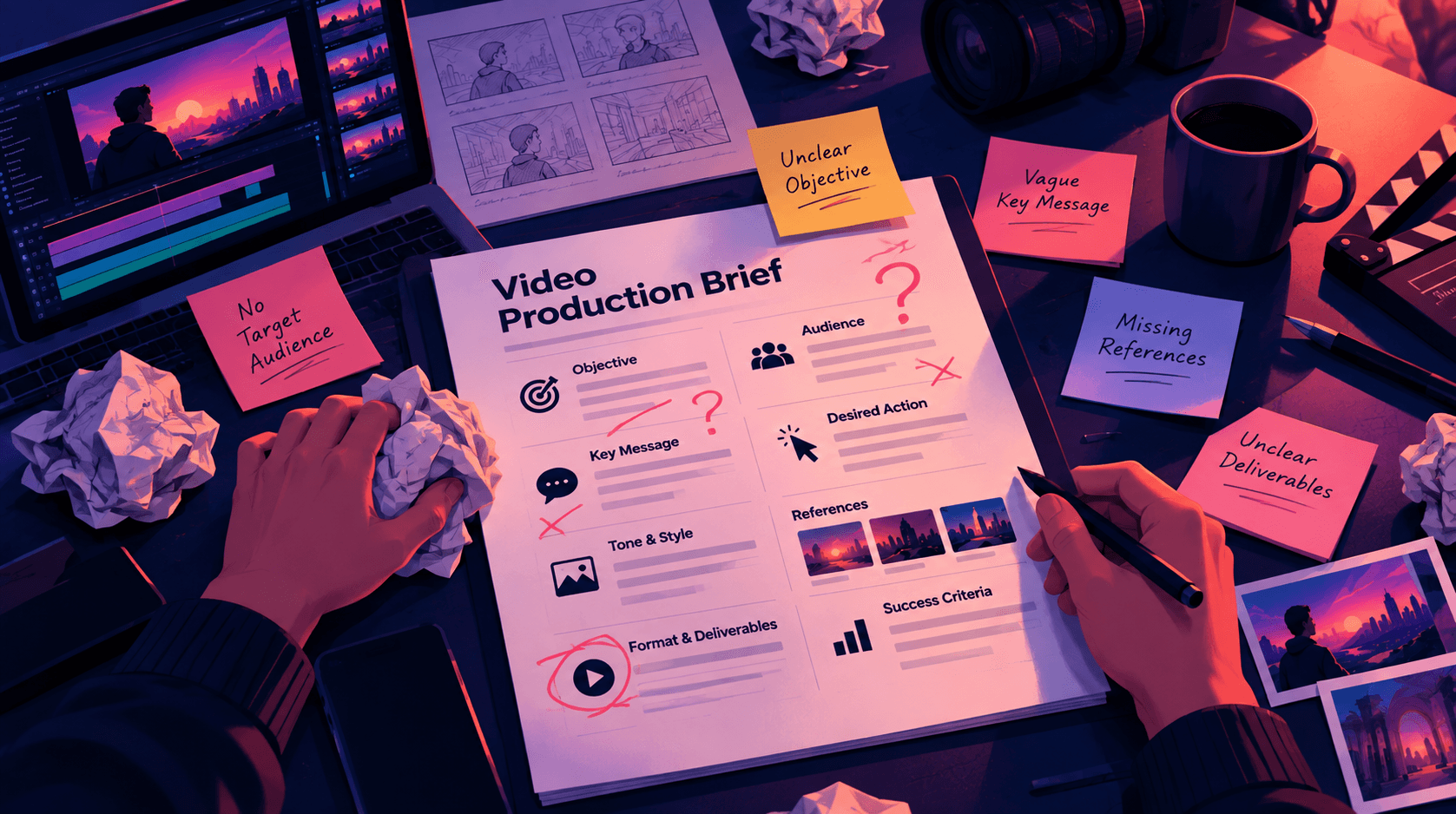
Even a detailed brief can fail if it does not help the team make decisions. Here are the most common mistakes.
1. Using vague objectives
"Make something engaging" is not a complete production objective. It describes a desired quality without explaining what the video should accomplish.
Better approach: Define the business or communication outcome first, then use creative direction to determine how the video should engage the audience.
2. Including too much information
A brief can become difficult to use when it contains every research document, stakeholder comment, presentation, and background detail in the main body.
Better approach: Keep the main brief focused on decisions. Attach supporting documents, brand guidelines, research, and reference libraries separately.
3. Treating references as instructions
A reference video may communicate a style, but it does not automatically explain what should be reproduced.
Better approach: Describe the specific qualities that matter, such as lighting, pacing, composition, sound, or animation.
4. Defining deliverables too late
A production team may create a master video in a format that does not adapt well to the required social placements.
Better approach: Confirm durations, aspect ratios, captions, and cutdowns before framing, composition, and editing decisions are locked.
For general technical guidance, review the University of Cambridge video technical guidance and check the latest requirements for each platform before publishing.
5. Ignoring creative consistency
A recurring character, product, or environment may change from one scene to another if its defining requirements are not documented.
Better approach: Identify persistent creative constants before production, particularly when using generative AI.
6. Leaving approval ownership unclear
When several stakeholders can provide feedback but nobody has final decision-making authority, approvals can become slow and contradictory.
Better approach: Name the project owner, reviewers, final approver, and person responsible for consolidating feedback.
7. Treating every platform as an afterthought
A video designed for a website may not work as a vertical social advertisement simply because it has been cropped.
Better approach: Plan the intended placements early. Different platforms may require different compositions, durations, captions, and edits.
Video Production Brief Template for Agencies
Agencies often manage multiple layers of communication. A client may brief an account manager, who passes the requirements to strategy, creative, production, editing, and social teams.
Each handoff creates an opportunity for information to be misunderstood or lost.
An agency video production brief should connect the client's business objective to a production scope that the team can execute.
What agencies should add
Agency briefs should explicitly define:
Client objective.
Campaign context.
Deliverables and production scope.
Creative direction.
Revision boundaries.
Brand and product requirements.
Platform adaptations.
Localization requirements.
Production dependencies.
Approval ownership.
Usage rights.
Final delivery requirements.
Example: A multi-platform product campaign
Imagine an agency is producing a product campaign that includes:
One hero video.
Three short-form cutdowns.
A recurring branded character.
Consistent product shots.
A branded environment.
Two language versions.
Vertical and horizontal formats.
Without a clear brief, the product may look different across scenes, the character may change between shots, and the social versions may gradually diverge from the approved concept.
A better process defines the product identity, character, environment, brand requirements, deliverables, and approval stages before production begins.
For more background on preparing a brief for a production company, see this video production brief guide from Emergent Films.
Video Production Brief Template for Marketing Teams
Marketing teams should use a video brief to connect campaign strategy with the actual production and distribution requirements.
A common challenge is stakeholder expansion. Product, sales, brand, leadership, legal, performance marketing, and regional teams may all have legitimate input.
The brief should clarify which requirements affect the video and when each stakeholder has approval authority.
Example: A product launch
A marketing team launching a new product might define:
Primary campaign objective.
Target audience.
Product message.
Desired viewer action.
Creative direction.
Product and brand identity.
Hero video format.
Paid-social cutdowns.
Regional and language versions.
Review stages.
Final approval.
This turns a collection of stakeholder requests into a manageable production plan.
Video Production Brief Template for Enterprise Teams
Enterprise video production often involves multiple teams, markets, languages, and approval structures. The brief therefore needs to document governance as well as creative direction.
Enterprise teams should consider including:
Brand governance.
Product accuracy requirements.
Approved visual identities.
Regional variations.
Localization requirements.
Legal and compliance restrictions.
Approval ownership.
Asset reuse requirements.
Distribution requirements.
Source-file and usage-rights requirements.
For AI-assisted production, persistent creative identity becomes particularly important. Brand requirements should not depend entirely on every team member remembering the correct prompt or finding the correct reference file.
A structured system for storing and reusing approved brand, product, character, and environment information can help reduce inconsistency across a large production operation.
How to Adapt a Video Production Brief for AI Video Production
An AI video production brief should define both the scene-level instructions and the persistent creative requirements that guide generation.
Traditional production often relies on a director, crew, art department, wardrobe team, and production documentation to maintain continuity.
Generative workflows introduce different challenges:
Individual scenes may be generated separately.
Different AI models may produce different visual interpretations.
Characters and products may vary between generations.
Reference assets may be distributed across files and tools.
Voiceover, editing, and campaign production may happen in separate workflows.
A prompt can describe a scene accurately without guaranteeing continuity across an entire film.
Separate variables from constants
For each project, divide the brief into two categories.
What changes from scene to scene?
Action.
Shot type.
Camera angle.
Dialogue.
Composition.
Character movement.
Scene-specific objects.
Lighting changes required by the story.
What should remain consistent?
Character identity.
Product appearance.
Environment identity.
Brand identity.
Visual style.
Logo and color system.
Voice requirements.
Language or dialect.
For example, a recurring character may appear in a kitchen in one scene and a retail environment in another. The action and background change, but the character's defining identity should remain recognizable.
Similarly, a product may appear in several shots with different camera angles. Its approved packaging, shape, colors, and essential details should not be reinvented each time.
Add an AI consistency section to the brief
An AI-ready brief can include the following:
Creative requirement | What to define |
|---|---|
Character identity | Face, proportions, hairstyle, wardrobe, and defining features |
Product identity | Shape, packaging, colors, logo, and important product details |
Environment identity | Location, architecture, layout, materials, and recurring elements |
Brand identity | Logo, palette, typography, visual language, and tone |
Visual style | Rendering style, lighting, materials, and camera treatment |
Voice requirements | Language, dialect, tone, delivery, and approved script |
Scene variables | Actions, camera movements, dialogue, and scene-specific changes |
This structure helps the team understand which elements are flexible and which are part of the approved creative identity.
From Video Brief to a Repeatable Production Workflow
A strong video production brief should become an input to the production process rather than a document that is abandoned after kickoff.
For teams producing content regularly, the workflow may look like this:
Brief → Script → Storyboard → Visual Development → Production → Rough Cut → Revisions → Final Delivery
For AI-assisted production, additional stages may include:
Creative Constants → Character Approval → Product Approval → Environment Approval → Scene Generation → Voiceover → Editing → Distribution
The purpose of these stages is to make the transition from approved creative direction to final output more controlled.
How ALStudio connects briefing and production
At ALStudio.ai, we approach this problem through a Creative AI OS designed to connect content planning, creative development, production, editing, and campaign workflows.
The platform includes several connected production areas:
Content Studio: Supports written creative work such as briefs, scripts, campaign concepts, product launches, and social content.
Film Studio: Provides a structured workflow from story idea and script through storyboard, character development, environment development, scene generation, voiceover, and final film.
Constants Studio: Acts as a shared memory layer for approved creative requirements, including Brand DNA, Character DNA, Product DNA, Environment DNA, and visual style.
Editor Studio: Supports post-production work such as video editing, VFX, upscaling, background replacement, object removal, and style transformations.
Marketing Studio: Connects creative production to campaign workflows, including multi-platform social content through Social Factory.
The Consistency Engine supports the distinction between scene-level variation and persistent creative identity:
Character Consistency: Helps maintain character identity.
Product Consistency: Helps maintain product identity.
Scene Consistency: Helps maintain environment identity.
Brand Consistency: Helps maintain shared brand requirements.
The goal is not to make the brief more complicated. It is to reduce the gap between what was approved and what eventually gets produced.
Practical Example: One Brief to a Multi-Platform AI Video Campaign
Consider a marketing team preparing a campaign for a new product.
The team needs:
One 45-second hero video.
Three short-form social cutdowns.
A recurring AI character.
Consistent product representation.
A branded environment.
Arabic voiceover.
Vertical and horizontal versions.
Captions and localized messaging.
Here is how the project could move from a brief to production.
Step 1: Define the strategy

The team documents the primary objective, audience, core message, desired action, and campaign success criteria.
Step 2: Establish creative direction

The team approves the tone, visual style, pacing, references, music direction, voiceover requirements, and video format.
Step 3: Approve creative constants
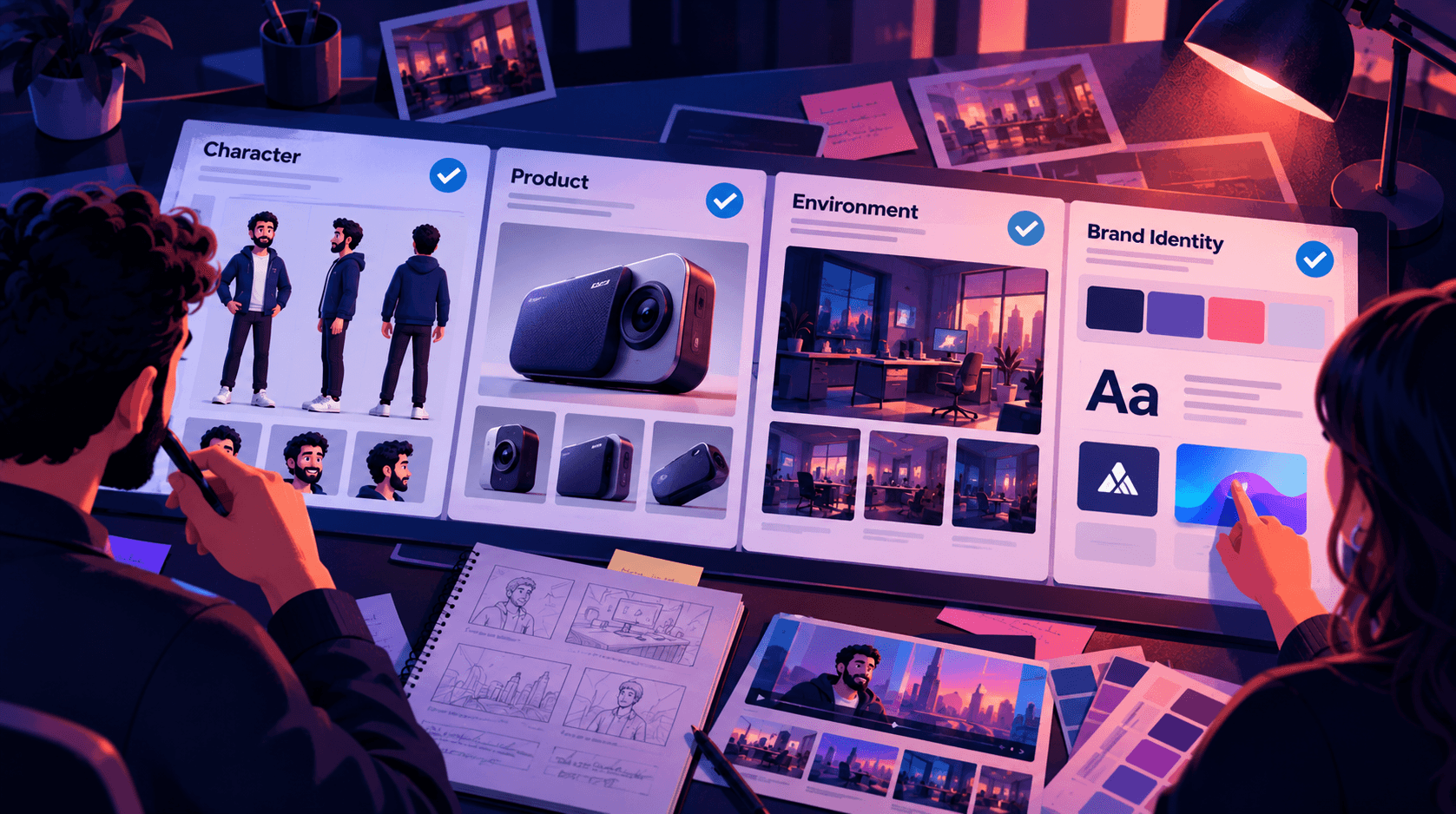
The character, product, environment, and brand identity are documented before large-scale scene generation.
Step 4: Build the production
The project

moves through scriptwriting, storyboarding, visual development, scene creation, voiceover, editing, and final assembly.
Step 5: Prepare platform versions

The master concept is adapted into the formats defined in the original brief. The team checks framing, duration, captions, language, and CTA placement for each output.
Step 6: Review and deliver
Stakeholders review the required stages, consolidate feedback, approve the final assets, and prepare them for distribution.
The brief provides the direction. The production workflow turns that direction into deliverables.
Best Practices for Writing Better Video Production Briefs
A useful brief prioritizes decisions over documentation.
Follow these principles:
Start with one primary objective. Secondary goals can exist, but the project needs a clear priority.
Make the audience actionable. Include information that affects creative decisions.
Write one core message. Avoid trying to communicate everything in one video.
Explain references. Identify the specific qualities you want to carry forward.
Separate constants from variables. This is particularly useful for AI-generated content.
Plan distribution early. Platforms and placements influence production requirements.
Define the deliverables before production. Include formats, durations, captions, and cutdowns.
Name the approvers. Make decision-making responsibility clear.
Keep the brief accessible. Production teams should be able to reference it throughout the project.
Document changes. When the brief changes, record what changed and which stages are affected.
Consolidate feedback. Avoid conflicting instructions from multiple reviewers.
Connect briefing to execution. The closer the brief is to the actual workflow, the less information is lost during handoffs.
Limitations of a Video Production Brief Template
A template improves alignment, but it cannot replace creative judgment or production management.
There are several limitations to keep in mind.
Different projects need different levels of detail
A short creator video may need only a few pages of information, while an enterprise campaign may require detailed governance, localization, legal review, and asset management.
Creative decisions can change
Visual development, audience feedback, or technical testing may reveal that an assumption in the original brief needs to be revised.
AI production still requires review
Persistent creative requirements can help reduce ambiguity, but teams should still review characters, products, environments, scripts, voiceover, brand details, and final outputs.
A brief is only useful when the team follows it
A completed template does not automatically mean a project is ready. The document should remain a living source of truth with clear ownership and controlled updates.
Conclusion: Turn Your Video Production Brief Into a Production System
A video production brief template works best when it does more than collect project information. It establishes the objective, audience, core message, creative direction, production requirements, deliverables, budget, timeline, and approvals that guide the project from the first idea to the final video.
For AI-assisted production, the brief should also separate scene-level instructions from persistent creative requirements such as Brand DNA, Character DNA, Product DNA, and Environment DNA.
This distinction helps teams manage creative consistency as projects become more complex and content needs to be adapted across multiple channels.
ALStudio.ai connects content planning, creative development, production, editing, and campaign workflows through a Creative AI OS. Its connected Studios and Consistency Engine are designed to help teams move from isolated generations toward more controlled, repeatable creative production.
Start building your video production workflow with ALStudio.ai and move from a static brief to consistent creative production at scale.
Frequently Asked Questions
1. What is a video production brief template?
A video production brief template is a reusable document that defines a video's objective, audience, core message, creative direction, production requirements, deliverables, budget, timeline, distribution channels, and approval process. For AI video production, it can also document the characters, products, environments, and brand elements that need to remain consistent.
2. What should a video production brief include?
A video production brief should include the project overview, primary objective, target audience, core message, desired viewer action, video type, creative direction, production requirements, deliverables, distribution channels, budget, timeline, stakeholders, approval process, and success criteria. An AI-ready brief should additionally define persistent creative constants.
3. How is a creative brief different from a video production brief?
A creative brief primarily establishes the strategy, audience, message, tone, and creative direction of a project. A video production brief extends those decisions into execution by documenting production requirements, deliverables, formats, budget, timeline, distribution, and approvals. The two documents may be combined, depending on the project's size and workflow.
4. How long should a video production brief be?
There is no universal required length. A small video may need only a few pages, while a complex campaign may require a more detailed document and supporting attachments. The important factor is whether the brief clearly answers the questions the production team needs to execute the work.
5. How much does it cost to use a video production brief template?
A video production brief template can be created and reused without specialized software. The cost of producing the actual video depends on the format, complexity, production method, talent, locations, animation, VFX, localization, number of deliverables, and revision scope. Including a realistic budget range in the brief helps the team recommend an achievable production approach.
6. Why are creative constants important in AI video production?
Creative constants identify the elements that should retain their approved identity across scenes and outputs. These may include characters, products, environments, logos, colors, visual style, and voice requirements. Documenting them helps teams distinguish between scene-specific changes and persistent creative requirements.
7. How can a marketing team use a video production brief?
A marketing team can use the brief to align campaign objectives, audience, messaging, creative direction, production scope, distribution requirements, budget, milestones, and approval ownership before production begins. The brief should then remain available during scripting, production, editing, localization, and final review.
8. What should an agency include in a client video production brief?
An agency should include the client's objective, target audience, core message, creative direction, deliverables, budget, timeline, revision boundaries, brand requirements, platform adaptations, localization needs, production dependencies, and approval process. A clear brief helps the agency translate the client's goals into an executable production plan.
9. Can one video be used on every platform?
One core concept can be adapted for multiple platforms, but a single exported file may not be suitable for every placement. Website videos, YouTube content, vertical social videos, and paid advertisements may require different framing, duration, captions, pacing, and calls to action. These requirements should be defined before production begins.
10. What is the benefit of connecting a video brief to a production workflow?
Connecting the brief to a production workflow helps carry approved decisions from strategy into scripting, visual development, production, editing, and distribution. It can reduce information loss during handoffs and make it easier to track deliverables, creative requirements, and approvals.
11. How does ALStudio support AI video production workflows?
ALStudio.ai is a Creative AI OS that connects content planning, film production, creative constants, editing, and marketing workflows. Its Film Studio supports a structured video production process, while Constants Studio and the Consistency Engine help teams manage persistent brand, character, product, and environment requirements.
12. Is there a free video production workflow option in ALStudio?
ALStudio.ai offers a free plan that includes 5 images, 1 video, and limited voice and text generation. The free plan has no watermark, and no credit card is required to get started.